Five core views. One source of truth for your whole shop.
A live Dashboard, the Action Centre for cases and dispatch, Supplier cost capture, honest profit Reports, and direct founder Support — the five things a serious eBay seller keeps track of, in one window. Every view is the live product, built from a real seller’s own frustrations.
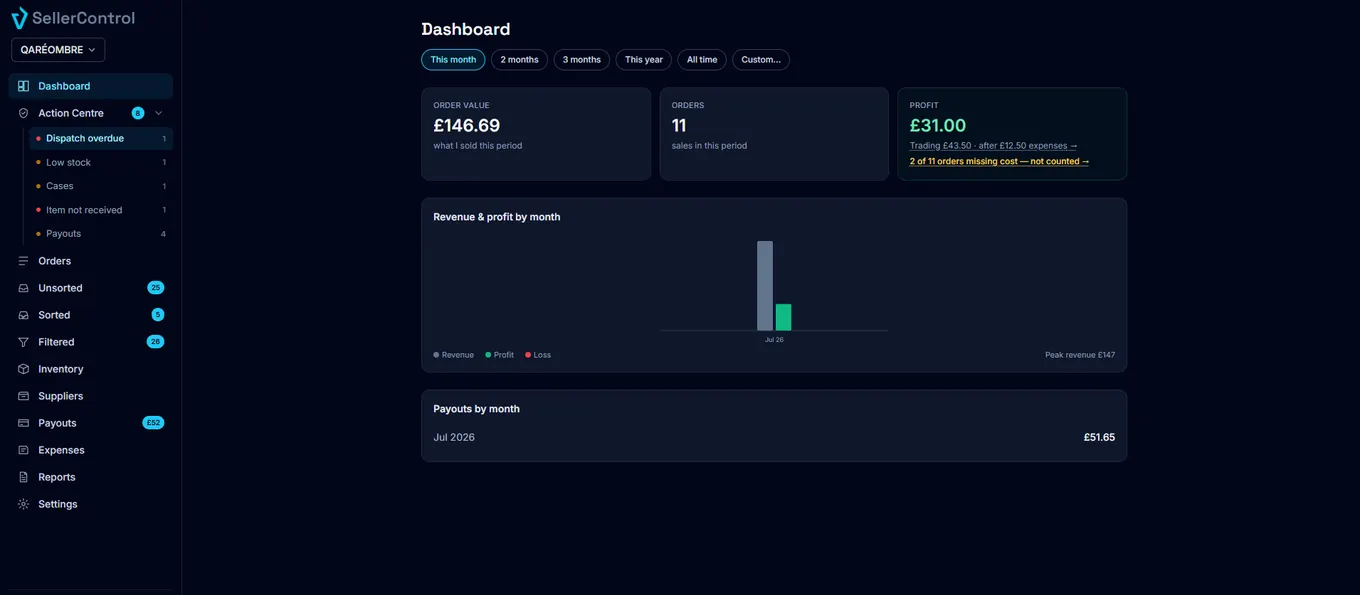
Your whole shop, one screen
Order value, order count and profit for any period, with a revenue-and-profit trend you can read at a glance. Profit is honest — orders missing a cost are called out, not folded in silently.
- This month, this year, all time, or a custom range
- Revenue and profit by month, side by side
- Missing-cost orders flagged right on the tile
Where is my money?
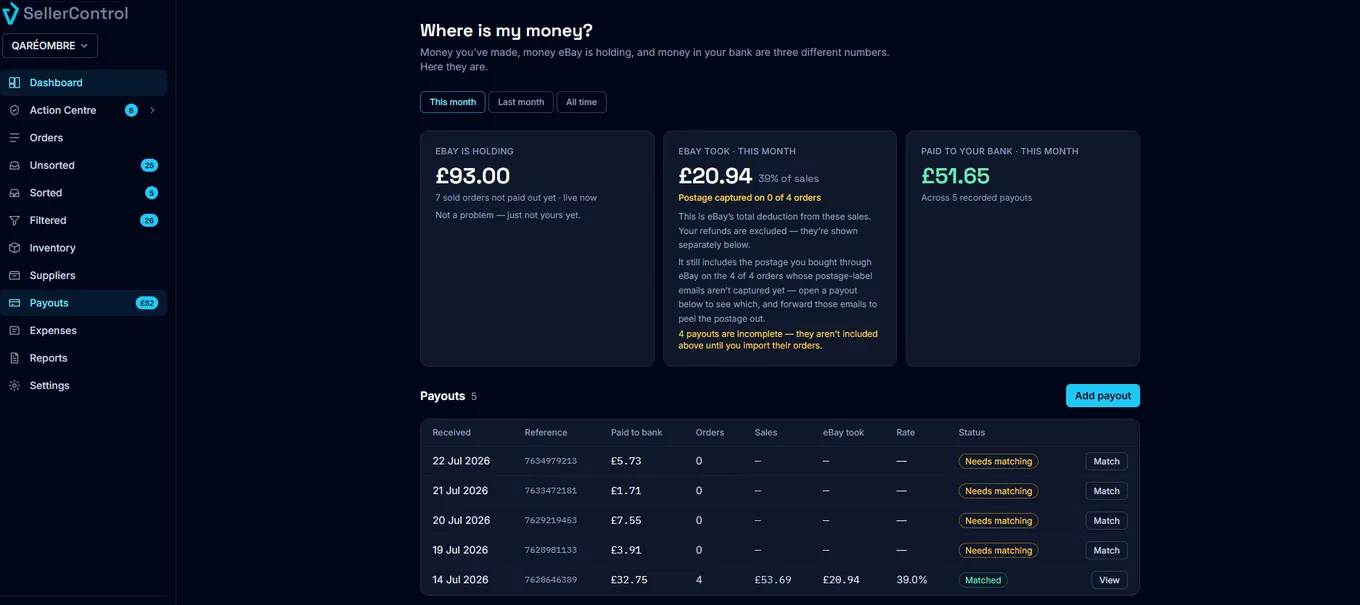
The three numbers eBay sellers mix up most: what eBay is holding, what eBay took, and what reached your bank. Payouts reconcile against your orders so the totals tie out.
- Live view of money eBay is holding
- eBay’s cut this period, with postage peeled out
- Every payout matched, or clearly marked
Suppliers & real cost
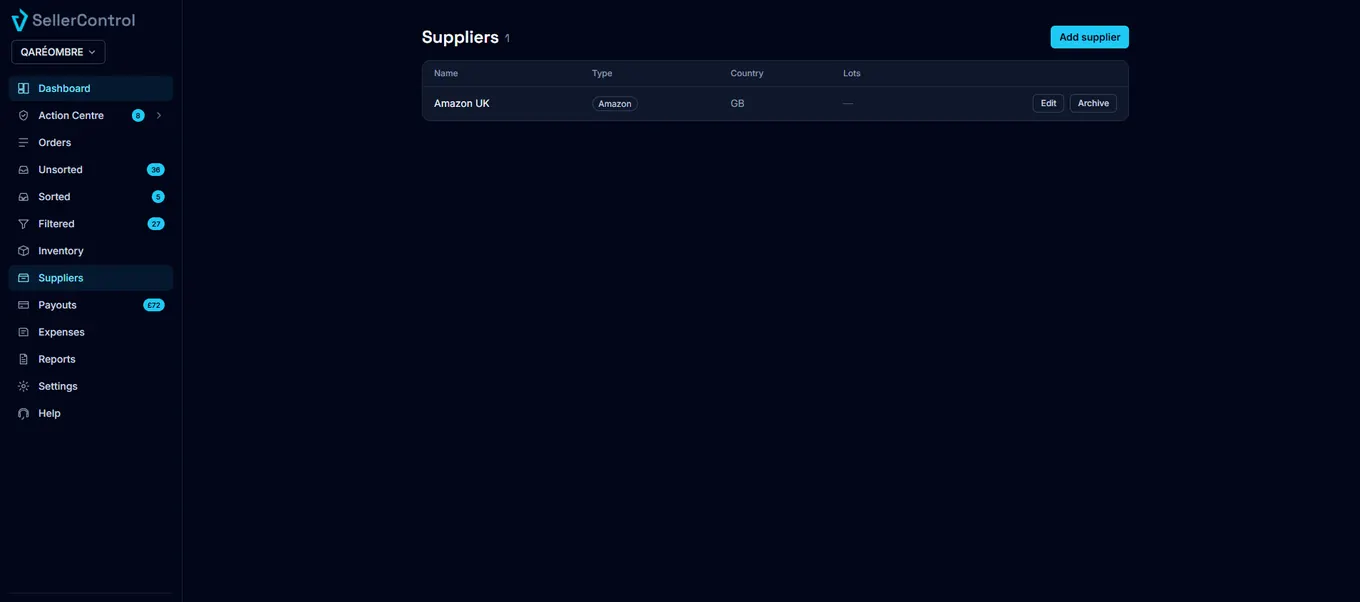
Your supplier costs captured automatically and matched to the right order — the true price you paid, not a guess. Track who you buy from and what it actually cost.
- Amazon, AliExpress and more, tracked in one place
- Real cost matched to the eBay sale
- True profit on every order
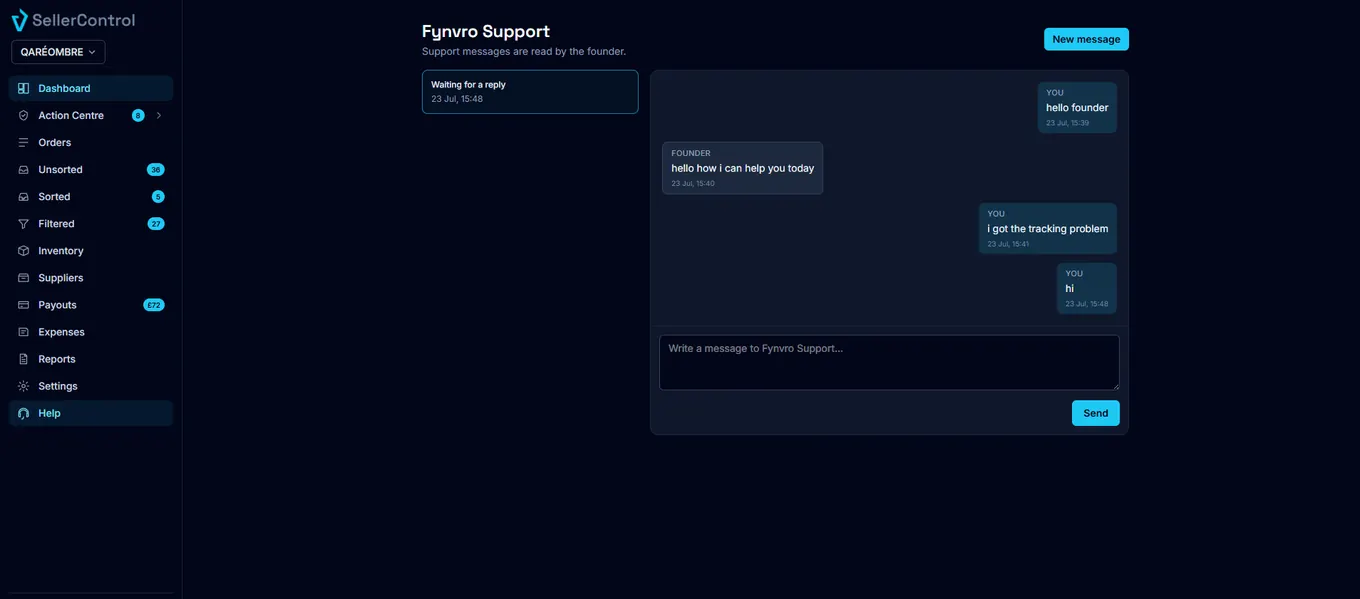
Talk to the founder
Stuck on something? Message inside the app and reach the person who built SellerControl — not a bot, not a support team reading a script. Every message read personally.
- Help is always one click away in the app
- Reach the founder directly, not a queue
- Live when they’re there, answered fast when they’re not
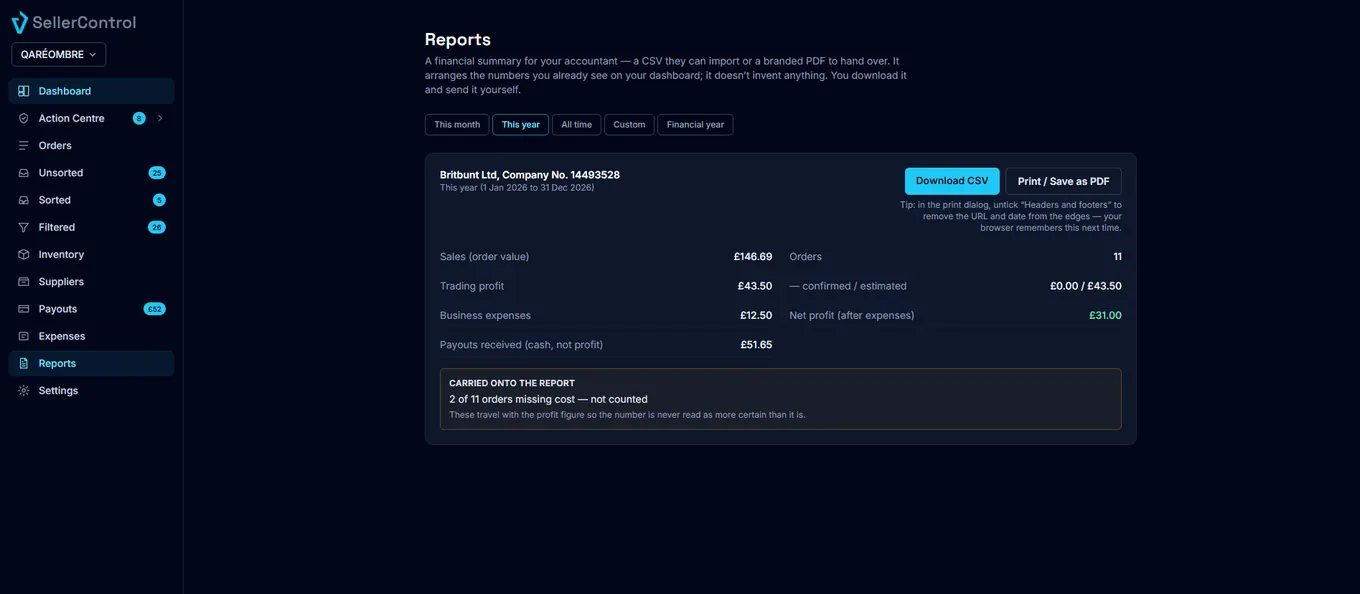
A report to hand over
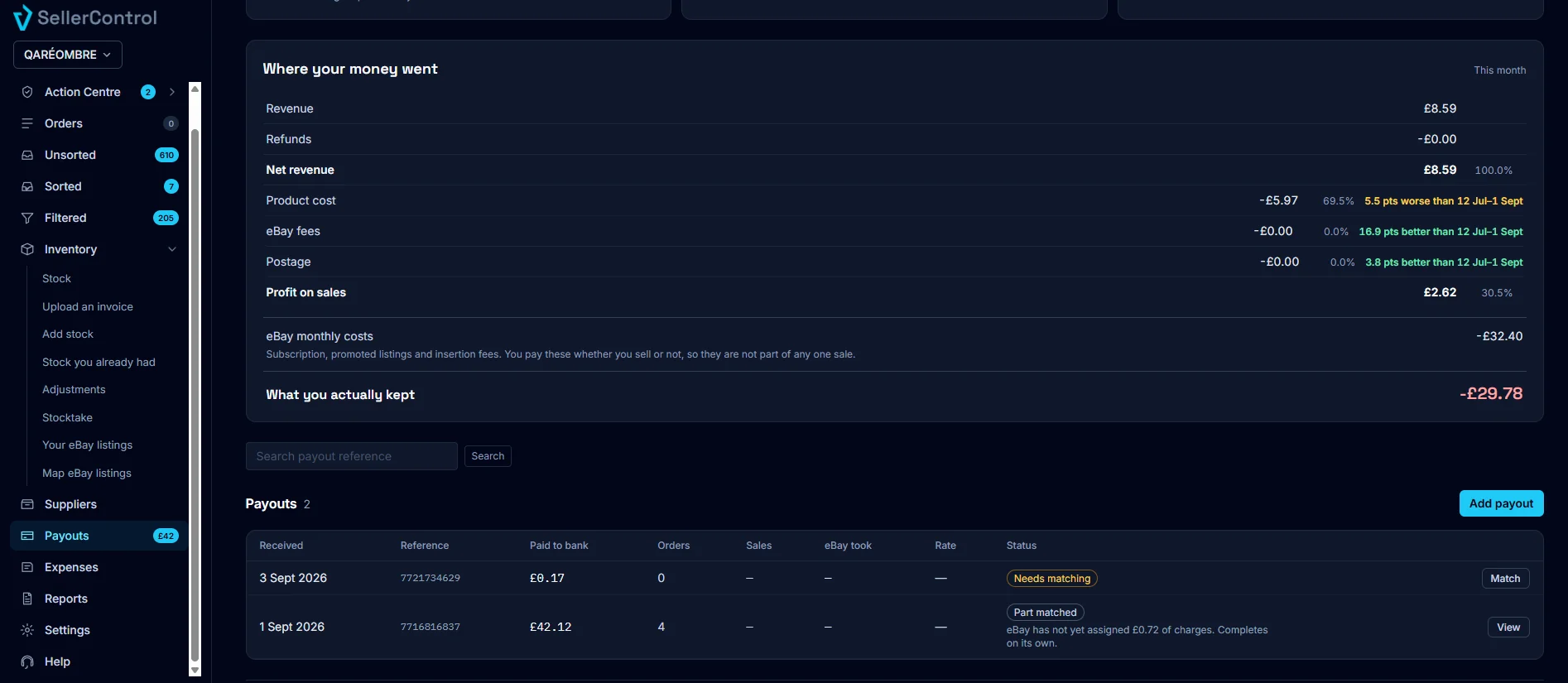
Download a full financial summary for any period: a CSV to import or a branded PDF for your accountant. Sales, orders and refunds, then every cost as its own line — supplier cost, eBay final value fees, promoted listing fees, postage labels. Confirmed and estimated profit shown separately, missing costs flagged, nothing invented.
- Trading profit, eBay’s monthly costs split four ways, and what you actually kept
- A month-by-month table, and where the money went — each cost as a share of net revenue, with its source named
- Orders needing attention: sold at a loss with the biggest deduction named, refunded, cancelled, missing a cost
- Payouts kept separate from profit; stock held is your own stock only
- Your VAT status stated plainly, company name and number on the PDF
- Every order behind the totals in the CSV, never capped
What it doesn’t do: calculate your VAT, split out the tax inside eBay’s fees, or work out the tax on postage.
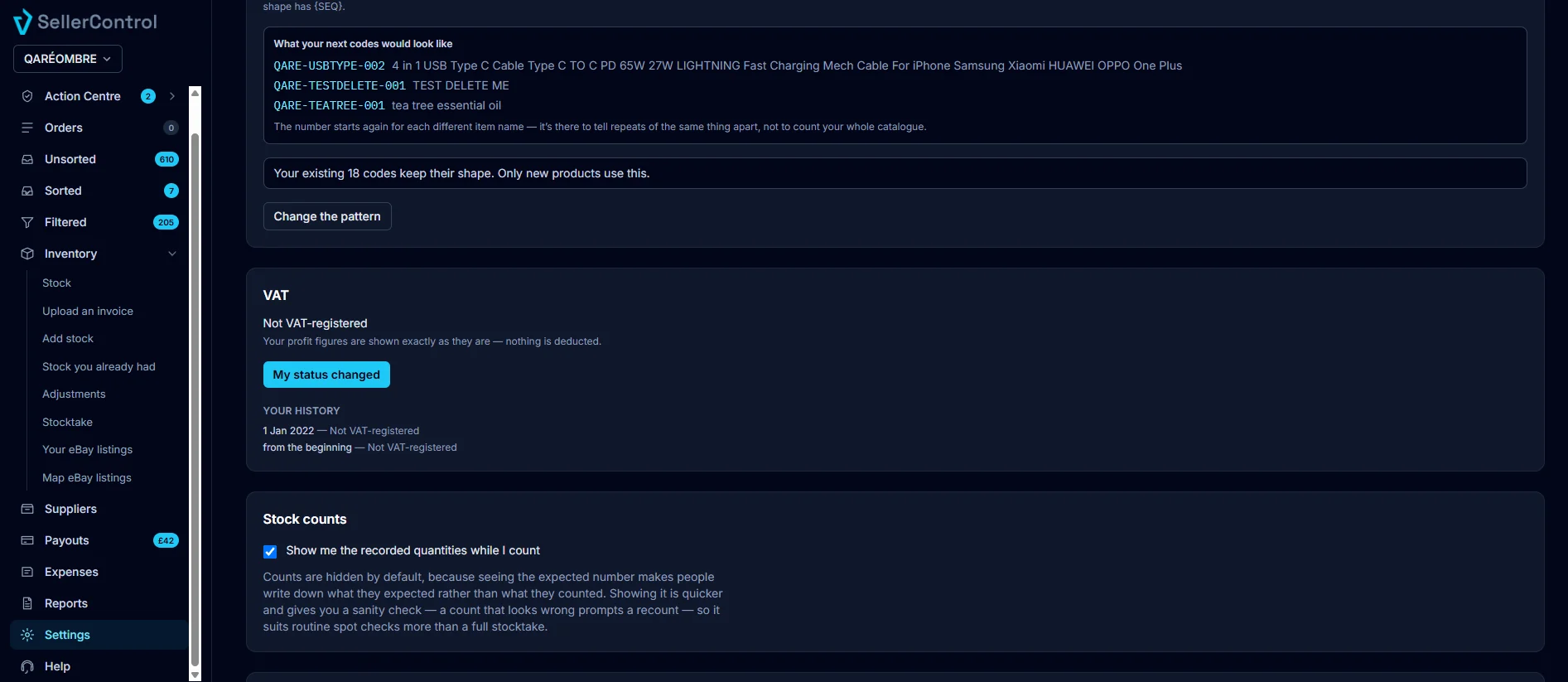
UK VAT, handled the way HMRC actually works
Not registered, standard rate or flat rate — and your status is kept as a dated history, so an order is taxed by the status that applied the day it sold. Registering later never rewrites your past.
- Status held as a dated history, not a single switch
- Per-product rates for zero-rated goods
- Marketplace-collected VAT excluded, so it is never counted twice
- Not registered? Nothing is deducted, and the screen says so
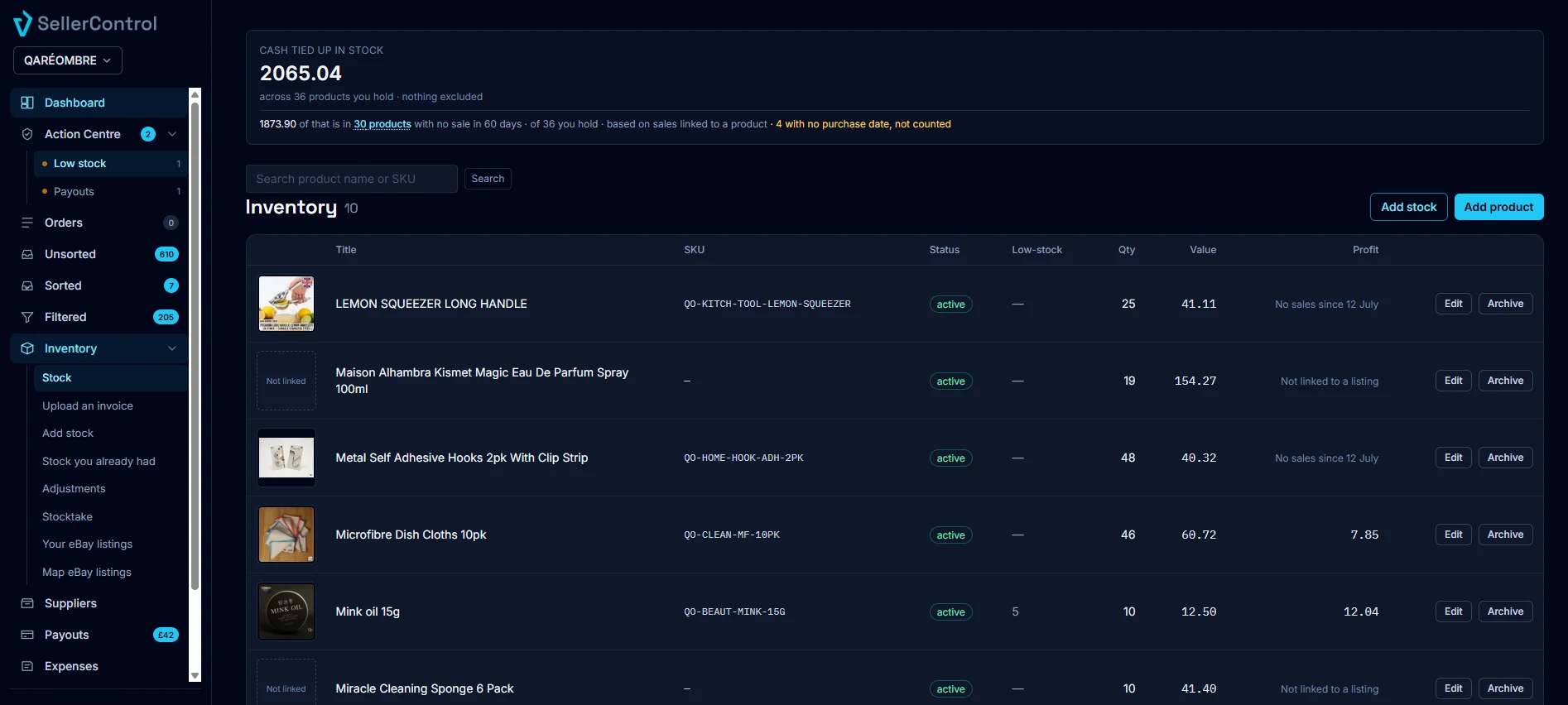
Real cost, first in first out
Cost comes from your actual supplier invoices — FIFO across batch lots, not a rolling average that quietly flatters a good month. Landed cost includes tax and postage.
- Batch lots with landed cost, including tax and postage
- Stock levels, low-stock alerts and dead-stock detection
- Adjustments, opening balances and stocktake
- Cash tied up in stock, with what it excludes stated on the tile
Your listings, mapped to your stock
Your eBay listings sync across with photos, prices and quantities. Map a listing to a product and stock comes off when it sells.
- Listings synced with photos, prices and quantities
- Map a listing to a product so stock moves on its own
- Every order shows the product photo, so you recognise it without reading a truncated title

Product codes that stay put
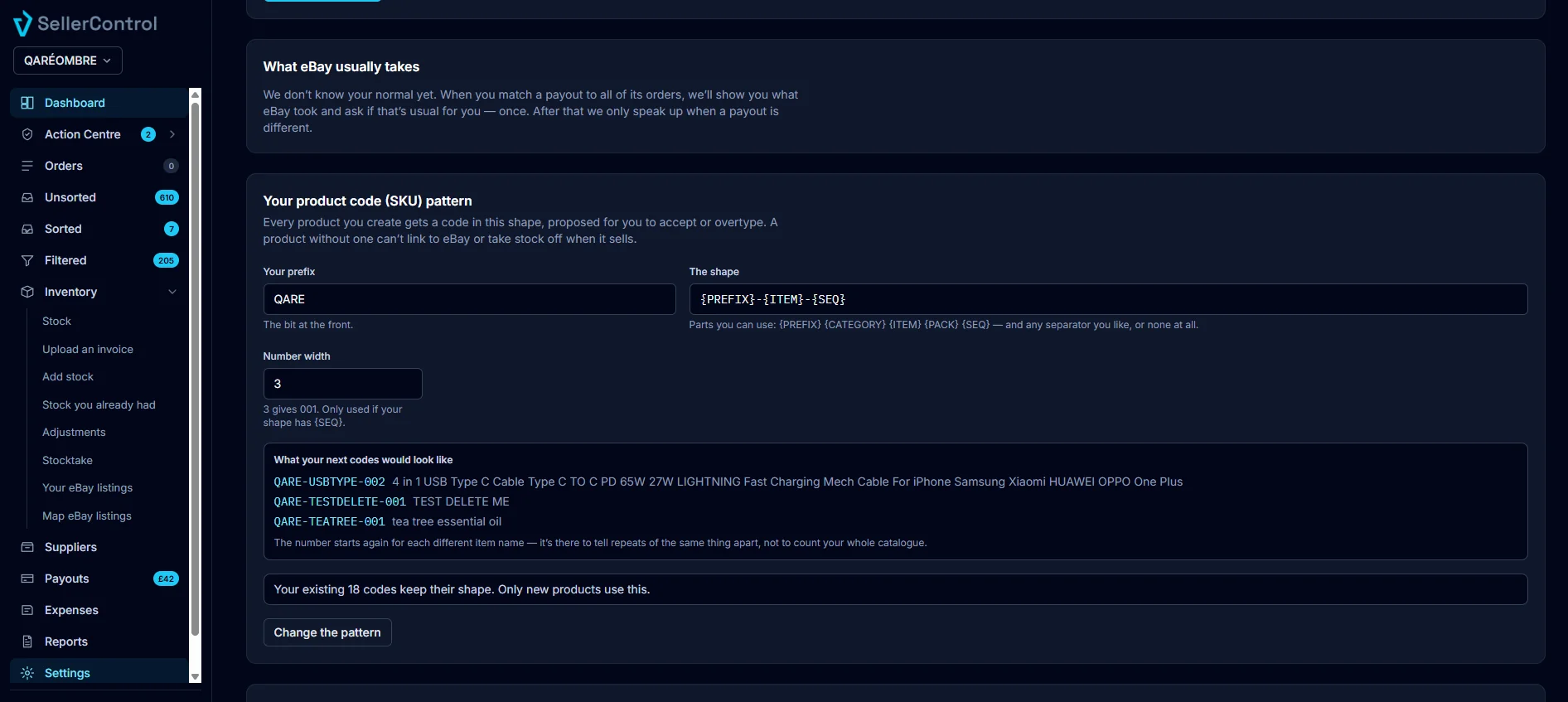
Set your own code pattern once. New products get a code proposed in that shape, ready to accept or overtype.
- Your pattern, set once, applied to new products
- Proposed codes are a suggestion — overtype any of them
- Codes already issued never change when the pattern does
Payouts matched to the orders that paid them
Every payout is matched to the orders behind it using eBay’s own attribution — not a date-range guess. When eBay has not finished assigning its charges, the payout says so.
- Matched on eBay’s attribution, not a date window
- Part-matched payouts name the outstanding amount
- They complete themselves when eBay catches up